QField does not load a simple raster-file

Hello everybody,

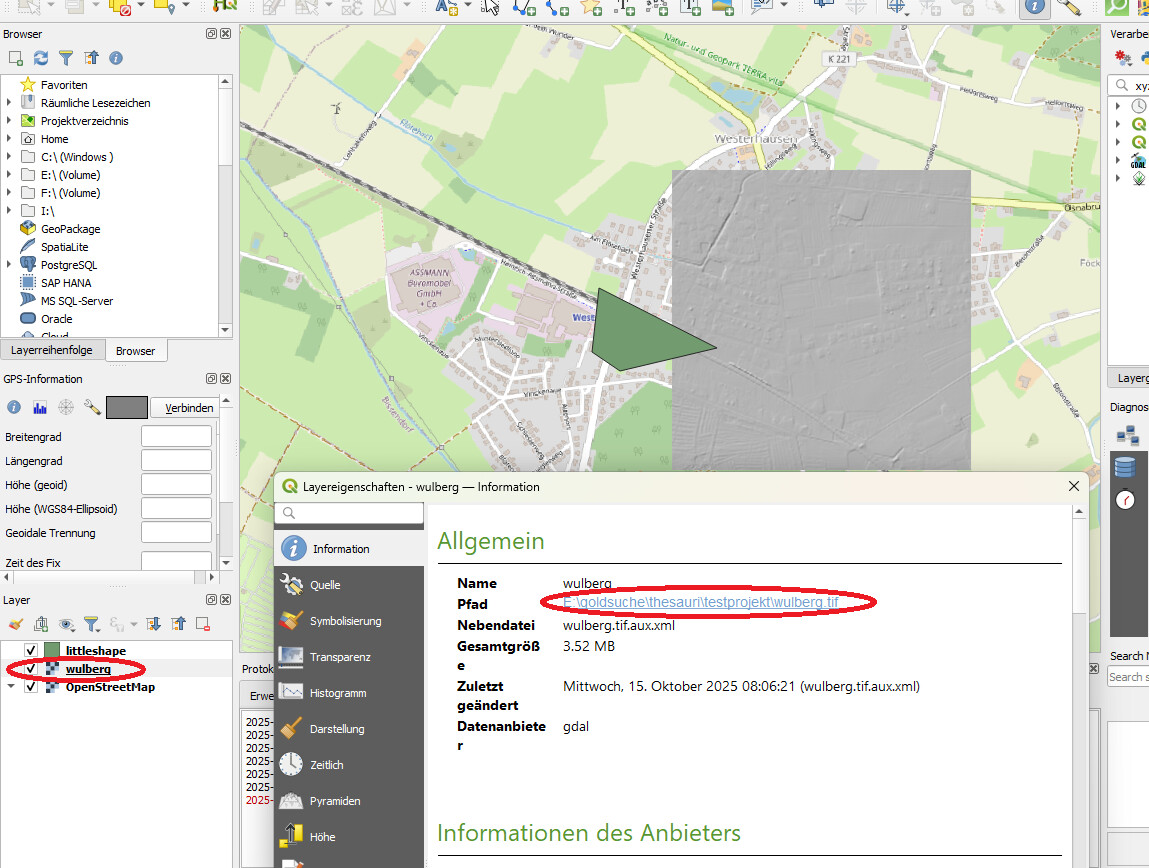
I have created a small testprojetct with OSM-Data, a rasterfile and a Shapefile.The Raster-file is called “Wulberg.tif”. You can see it in the screenshot:

The QGIS-projectfile and the raster-file are located in the same directory:

In the project-settings I have set “relative pathes”:

I synchronized that project in the QField cloud. If I open it with the mobile device I can see the shapefile and also the OSM-data.

But I get an error-message for the rasterfile (“the layer can`t be loaded. Please check in the QGIS-configuration”):

The very weird thing is:

The path (also in the Qgis-project-file) is not “wulberg.tif”, it`s “localized:wulberg.tif”??
Do you know how to solve the problem?

Not sure about .tif files specifically, but most files you put in the project directory directly get zipped during packaging.

Try creating an attachment subfolder (the name doesn’t matter, but has to match what you set up in your project properties):

Hope this helps!

@seqlaz Maybe you can help here?

Meanwhile I change the path-entries manually in the project-file. Now it works. Thank you.

Hi @KaiBehncke it looks like the raster file “wulberg.tif” was initially added from a folder that is configured as shared datasets in your QGIS settings. Can you check the list of folders that are in the “Settings” > “Options…” > “Data Sources” > “Localized Data Paths”?
1 Like

Exactly, that was the reason. Thank you :slight_smile:

1 Like