To summarize, all of you:
- have been invited recently to QFieldCloud.
- successfully registered and managed to login using the web ui at app.qfield.cloud;
- you are all using QGIS on Windows;
- you have tried to login using QFieldSync BETA18 and the zipped QFieldSync above. It starts, but when you enter your correct credentials, you get a “login failed” feedback.
If this is the case, may I ask you for two favors:
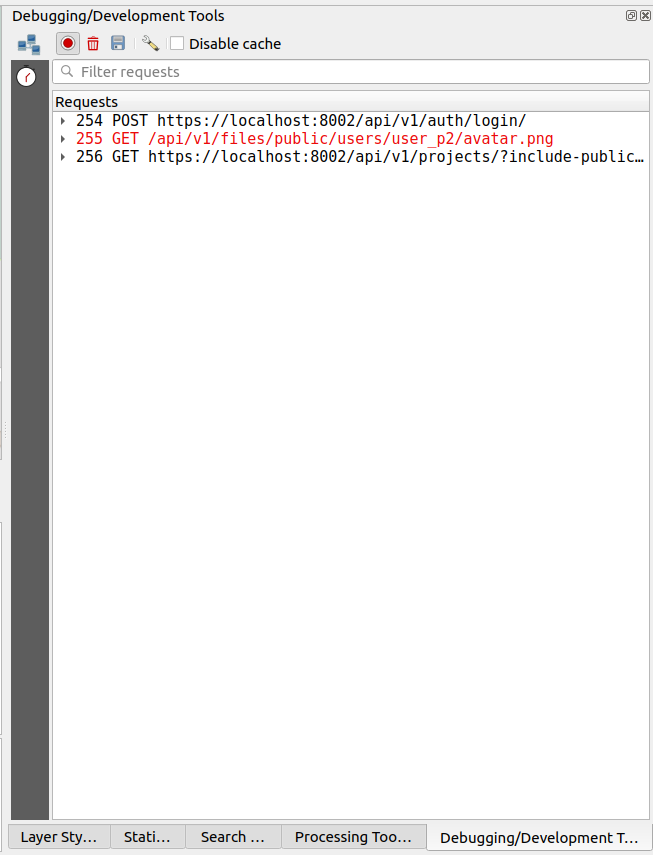
- enable the “debugging/development tools” panel from QGIS: View->Panels and grab a screenshot after your try to login. You should see something like this:
- try with an older version of QFieldSync, e.g. beta17 or beta16 from here https://plugins.qgis.org/plugins/qfieldsync/ .
Thank you for testing QFieldSync beta!
Imported from GitHub comment by @suricactus on 2022-02-18T13:02:25Z